Venus Pro Player
Q-Team Developer
Feb 4, 2025
28 MB
4.0
Requires Android 5.0 and up
50,000+

Description
Venus Pro Player Apk
In the ever-evolving world of digital streaming, Venus Pro Player has emerged as a specialized IPTV player designed for high-performance media consumption on Android-based devices. Developed by Q-Team Developer, this application focuses on speed, stability, and high-definition visual fidelity.
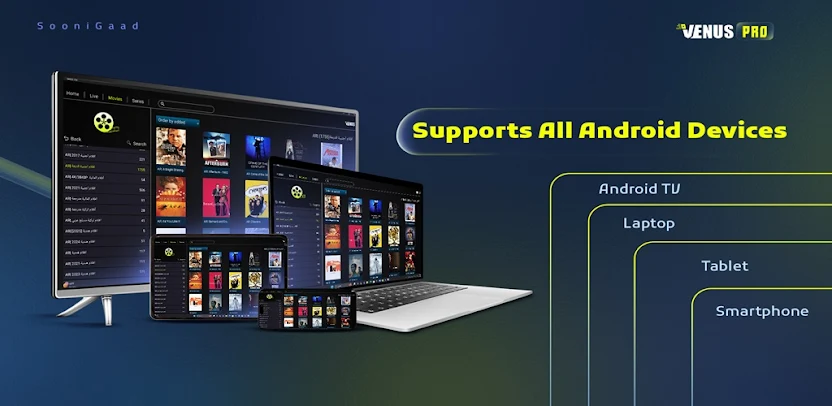
Unlike standard video players, Venus Pro Player acts as a robust shell for IPTV services, allowing users to stream live TV, movies, and series with advanced codec support.
Key Features of Venus Pro Player
Venus Pro Player distinguishes itself with several technical enhancements aimed at power users:
- 4K & 8K Ultra HD Support: One of the app’s standout features is its ability to handle real 4K and even 8K video streams, provided your hardware and service provider support these resolutions.
- Ad-Free Experience: The application is noted for having no built-in ads, ensuring that your viewing experience remains uninterrupted.
- Multi-Device Compatibility: Designed for versatility, it works seamlessly on Android smartphones, Amazon Firestick, Mi TV Stick, and Google Chromecast.
- Multi-Translation Support: For international content, the app supports multiple subtitle tracks and audio translations, making it a favorite for global cinema enthusiasts.
- Customization & Control: Users can manage content packages directly within the app and utilize features like “Continue Watching” and “Favorites” for a personalized library.
Important Usage Information
It is crucial to understand how Venus Pro Player operates before downloading:
Note: Venus Pro Player is a media player only. It does not come with pre-loaded channels or content. You must provide your own content via an M3U playlist or an activation code from a service provider.
Technical Specifications
How to Install Venus Pro Player APK
Since this is an APK file, you can install it on devices that support side-loading (like Firestick or Android TV boxes).
- Enable Unknown Sources: Go to your device Settings > Security and toggle on “Install apps from unknown sources.”
- Download the APK: Use a trusted source or browser to download the latest version of the Venus Pro Player APK.
- Install: Open your file manager, locate the downloaded file, and click “Install.”
- Configure: Once opened, you will need to enter your M3U link or Activation Code to start streaming your content.
Why Choose Venus Pro Player App ?
The “Pro” designation in this app refers to its significant acceleration and smooth playback compared to its predecessors. It is optimized for low-latency streaming, which is essential for live sports and high-action movies.
Would you like me to help you find a step-by-step guide for installing this specifically on a Firestick or Android TV?
Advantages:
-Speed in downloading.
-Speed in the display.
-4k & 8k support
-View the latest updates.
-Control the packages in the application.
-We do not endorse the streaming of copyright protected material without
permission of the copyright holder.
Worked on Amazon firerstik and Mi tv stik and Google chromcast
*** Please note this app does not contains any playlists except sample playlists. User must provide their own content! ****
Venus Pro Player Code :
Username : Hkalil999993
Password : 221677836459