ATLAS PRO IBO APK
4.3
Developer
NDASAT Atlaspro
NDASAT Atlaspro
Updated
Oct 30, 2025
Oct 30, 2025
Size
34 MB
34 MB
Version
4.3
4.3
Requirements
Requires Android 5.0 and up
Requires Android 5.0 and up
Downloads
1,000,000+
1,000,000+
Report this app
Description
ATLAS PRO IBO APK
is a premium IPTV-style streaming application designed for Atlas Pro subscribers, combining live TV, VOD, and replay in a fluid, TV‑friendly interface optimized for Android boxes and smart TVs.
What is ATLAS PRO IBO?
ATLAS PRO IBO is part of the Atlas Pro ecosystem, which offers IPTV access through dedicated apps such as Atlas Pro ONTV and Atlaspro Prime.
The IBO version is positioned as a modern, intuitive player that lets subscribers use their existing Atlas Pro subscription codes to access channels and on‑demand content on Android TV and compatible devices.
Unlike generic IPTV players, Atlas Pro apps are built specifically around Atlas servers, so the user logs in with a subscription rather than manually managing M3U playlists.
This makes the experience closer to a traditional TV service, with categories, EPG, and organized VOD libraries.
Key features and user experienceIntuitive interface: Users highlight that Atlas Pro IBO is very intuitive on Android boxes, with smooth navigation and a stable day‑to‑day experience.
TV‑oriented design: Official Atlas apps such as Atlaspro Prime are designed specifically for Android TV, Firestick, and Android boxes, with layouts optimized for big screens and remote control use.
Live TV, VOD, and replay: The Atlas Pro ONTV app, which shares the same ecosystem, offers clear sections for live channels, video on demand, and replay, providing a full TV replacement solution.
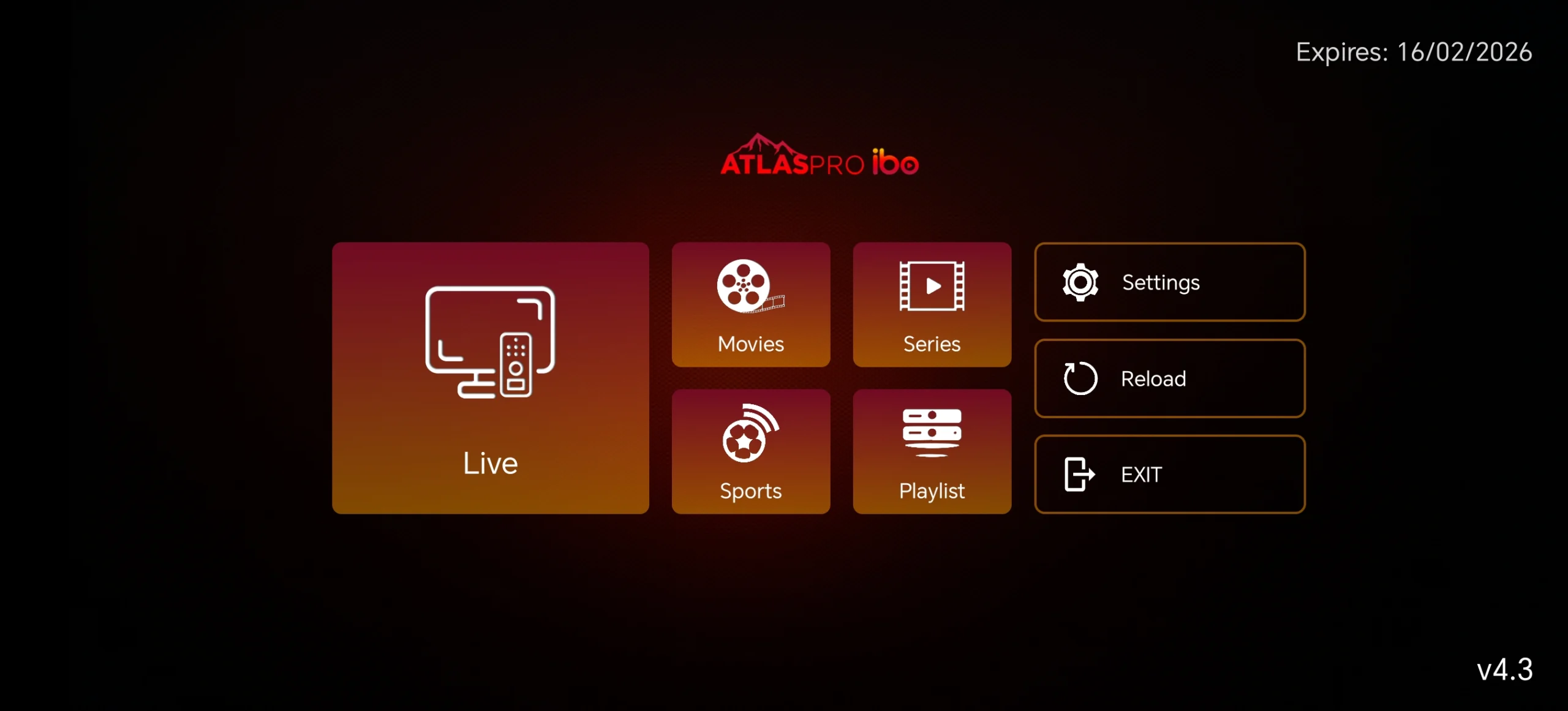
Modern visual design: Atlaspro Prime brings a dark, modern UX with configurable home layouts (vertical or horizontal, ability to hide/show weekly top movies and series, and similar‑content recommendations).
Performance and stability: Users report a generally stable app with fast zapping and satisfying performance, though some reviews mention intermittent connection problems or temporary service interruptions.
An example scenario: on an Android TV box, you launch Atlas Pro IBO, land on a clean home screen with categories for live TV, films, and series, and navigate via remote arrows to switch between channels or open HD movies with just a few clicks.
Platforms, compatibility, and ecosystemAtlas Pro’s apps target a wide range of screens, with Atlas Pro ONTV and related clients available for Android devices, smart TVs, and often other platforms like iOS or PC through dedicated versions.
Atlaspro Prime is explicitly limited to Android TV, Firestick, and Android boxes, focusing resources on the TV experience rather than phones and tablets.
The IBO branding comes from “IBO Player”, a family of IPTV players that work as general M3U clients across Android TV, Samsung TV, LG TV, Fire TV, Apple TV, and more.
In Atlas Pro IBO, this concept is integrated into the Atlas subscription model: subscribers can use the same code from their Atlas account with the IBO‑based app, simplifying migration between versions.
Strengths and limitationsStrengthsTV‑first experience: Designed for big screens, remote navigation, and a living‑room feel, unlike many phone‑first streaming apps.
High‑quality streaming: Atlas Pro ONTV emphasizes high‑quality video up to Full HD and 4K when bandwidth and source allow, delivering an immersive viewing experience.
Rich content offering: Reviews describe thousands of international channels, recent movies, series, and live sports within the Atlas ecosystem.
Personalization options: Prime‑style features include choosing which channel bouquets appear, hiding unwanted sections, and adjusting home‑screen layout and auto‑refresh frequency for content.
LimitationsSubscription required: Atlas Pro IBO is a media client; it does not include content by default, and full use depends on a paid Atlas Pro subscription.
Service reliability varies: Some users on review platforms report connection problems, app crashes, or periods when channels are unavailable after payment.
Device scope: Certain Atlas apps are locked to TV‑class Android devices, which can limit use on smartphones and tablets.
ATLAS PRO IBO vs related Atlas appsInstallation and practical tipsATLAS PRO IBO is usually installed via APK on compatible Android TV boxes or smart TVs that support APK sideloading.
After installation, subscribers log in with their Atlas Pro credentials or activation code; the app then loads their channel bouquets, VOD catalog, and any replay features included in their offer.
For best performance, users typically need a stable broadband connection to maintain Full HD or 4K streams and avoid buffering.
Community feedback suggests periodically restarting the device, checking connection quality, and keeping the app updated to reduce connection errors or temporary outages.
Follow : My Telegram Channel
Code : 754918490240309